What Exactly is a Barebones PC? Let's Break It Down.
You know, when folks talk about building a computer, they often picture picking out every single component from scratch: CPU, motherboard, RAM, storage, graphics card, power supply, case… the whole kit and caboodle. And that's totally one way to do it. But then there's this really interesting middle ground, and that's what we call a barebones PC. I think it’s a brilliant option for a lot of people, and I want to share why.
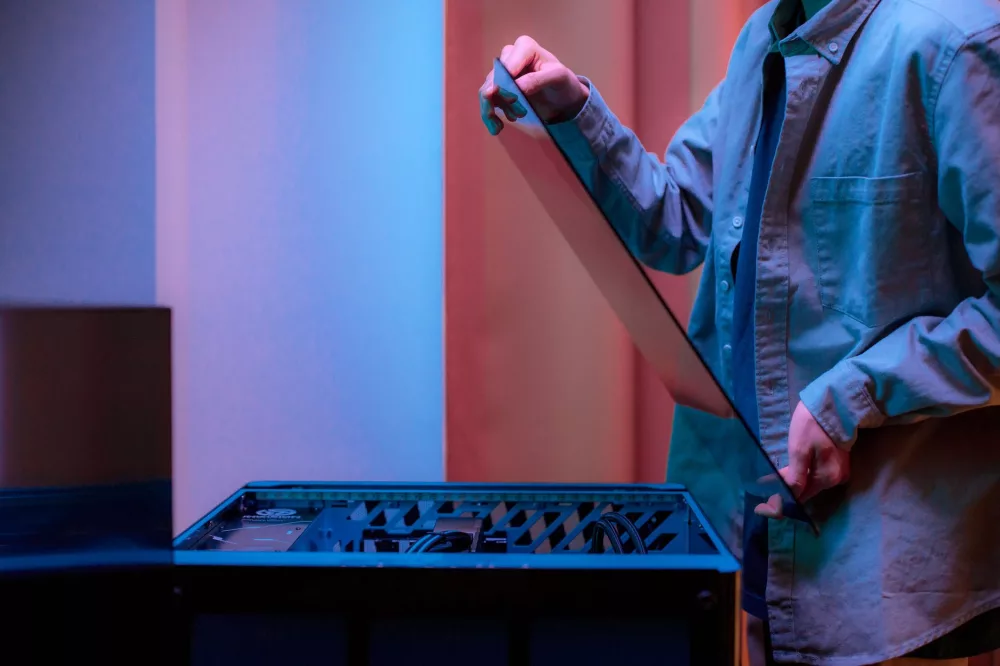
So, what are we even talking about? Simply put, a barebones PC is a pre-assembled, partially complete computer system. It usually comes with the case, motherboard, and power supply already installed. Sometimes, you'll even get a CPU cooler thrown in, or occasionally, even a low-power CPU soldered right onto the motherboard. Think of it like getting a car chassis with the engine and transmission already in place, but you still need to add the wheels, seats, stereo, and maybe even a custom paint job. You get the foundational structure, but the fun parts – the truly performance-defining and personalizing components – are left up to you.
What Typically Comes in the Box?
When you crack open that barebones PC box, you're generally going to find a few key items already snugly fitted inside. It's usually a pretty compact package, depending on the form factor you choose.
- The Case: This is the shell, the enclosure that holds everything together. With barebones systems, especially the popular mini PC variety, the case is often uniquely designed to fit the specific components it houses, ensuring efficient cooling and a small footprint.
- The Motherboard: This is the central nervous system. It's pre-installed and matched perfectly to the case. It dictates what kind of CPU you can use, the type of RAM, and the available expansion slots.
- The Power Supply Unit (PSU): Often, a PSU designed specifically for the case is included. For smaller barebones systems, it might be an external power brick, similar to a laptop charger, or a tiny internal PSU.
- Sometimes a CPU Cooler: Some barebones kits, particularly those from brands like Intel NUC or Zotac, might have a small, pre-installed CPU cooler or even a CPU already embedded on the motherboard (especially for very low-power, fanless systems).
That's your starting line. Everything else? That’s where you come in!
The Pieces You'll Need to Add Yourself
Now, this is where the customization really takes shape. You’ve got the foundation; it's time to populate it with the brains and memory. What you pick here will drastically affect your system's performance.
- The CPU (Central Processing Unit): This is the big one. If your barebones kit didn't come with one, you'll need to select a CPU compatible with the motherboard's socket type (e.g., LGA1200, AM4). This is the 'brain' of your computer. Choosing the right CPU depends heavily on what you plan to use the PC for. Gaming? Video editing? Just web browsing? Your answer will guide your choice.
- RAM (Random Access Memory): You’ll definitely need RAM. Pay close attention to the motherboard's specifications for RAM type (DDR4, DDR5), speed (MHz), and capacity. Most barebones systems will have 1-2 RAM slots, allowing for dual-channel memory configurations, which is great for performance.
- Storage (SSD/HDD): This is where all your files, programs, and the operating system live. Most modern barebones systems will support M.2 NVMe SSDs for incredible speed, and many also offer space for a 2.5-inch SATA SSD or HDD for larger storage needs. Don't cheap out on storage; a fast SSD makes a world of difference in daily responsiveness.
- Operating System: Unless you're planning a Linux build, you'll likely need to purchase a license for Windows. This is generally not included and will need to be installed once your hardware is assembled.
- (Optional) Graphics Card: For compact barebones systems, a dedicated GPU usually isn't an option due to space and power constraints. However, larger barebones cases might have PCIe slots for a full-sized graphics card, if you're building a gaming or workstation PC. Always check the specs!
Why Choose a Barebones PC? My Top Reasons.
I genuinely believe barebones systems offer a fantastic blend of convenience and customizability. Here are a few compelling reasons why you might consider one for your next computer project:
Cost Savings & Value
Sometimes, buying a barebones kit can be more economical than sourcing each component individually, especially for mini PCs where the case, motherboard, and PSU are often proprietary and optimized to work together. You're effectively buying these core components in a bundle, which can sometimes come at a better price point than if you bought them all separately. Plus, you're only paying for the parts you need, not for pre-installed RAM or storage that might not meet your specific requirements.
The Joy of Customization Without the Headache
For me, this is one of the biggest draws. I love the idea of personalizing my tech, but I also appreciate a head start. With a barebones system, a lot of the fiddly bits – like mounting the motherboard, wiring the front panel connectors, and fitting the PSU – are already done. This lets you focus on the fun stuff: choosing the perfect CPU for your workload, picking the fastest RAM, and selecting ample storage. It’s a great stepping stone for anyone who wants to dip their toes into PC building without feeling overwhelmed by a pile of disparate parts.
Compact & Efficient Form Factors
Many barebones kits are designed with small form factors in mind. Think Intel NUCs, Zotac ZBOXes, or even some ASUS mini PCs. These are perfect for home theater PCs (HTPCs), office workstations where desk space is precious, or even just as incredibly discrete desktop computers. Their integrated design often means optimized cooling and power delivery for their small size, which you'd struggle to achieve when building from scratch in a generic mini-ITX case.
A Great Learning Experience
If you've never built a PC before, a barebones kit is an excellent place to start. It introduces you to the core components and the assembly process without the complexity of managing every single wire or compatibility concern between a thousand different parts. You'll learn how to properly install a CPU, apply thermal paste, seat RAM, and connect storage devices – all crucial skills for any PC enthusiast.
Potential Downsides to Keep in Mind
No solution is perfect for everyone, and barebones PCs do have their quirks. It’s important to be aware of these so you can make an informed decision.
- Assembly is Still Required: While less involved than a full build, you still need to get your hands dirty. If the idea of installing a CPU or RAM makes you break out in a cold sweat, a barebones system might still be more hands-on than you'd prefer.
- Limited Upgrade Paths (Sometimes): Especially with ultra-compact systems, upgrade options down the line can be restricted. You might be stuck with a specific CPU socket, a limited number of RAM slots, or no ability to add a dedicated graphics card. Always check the specifications for future-proofing considerations.
- Compatibility Checks Are Critical: While the motherboard is pre-installed, you still need to ensure your chosen CPU, RAM, and storage are compatible. I always recommend double-checking the manufacturer's QVL (Qualified Vendor List) for RAM to avoid headaches.
- No Pre-Built Warranty: You're usually getting individual warranties for the barebones kit itself and for each component you add. There isn't one overarching system warranty like you'd get with a fully pre-built PC.
- No Operating System Included: As I mentioned, you'll almost certainly need to purchase and install an OS separately. This adds to the overall cost and requires a bit of technical know-how.
Who Should Seriously Consider a Barebones PC?
I often recommend barebones PCs to a few distinct groups:
- The Budget-Conscious Builder: Someone looking to save a few bucks while still getting a quality machine, especially if they already have some spare RAM or storage lying around.
- The Customization Enthusiast (with less time): You want control over your hardware choices but don't want to spend an entire weekend wiring a full custom build.
- The Small Form Factor Fanatic: If you're building an HTPC, a discreet office PC, or just love tiny, powerful machines, barebones kits (especially mini PCs) are often purpose-built for this.
- The First-Time PC Builder: It's a fantastic entry point into the world of PC building, offering a less intimidating experience than a complete scratch build.
Getting Started: What to Look For
When you're browsing for a barebones system, here are the absolute essentials you should focus on:
- CPU Socket Type: This is non-negotiable. It tells you which generation and family of processors you can use.
- RAM Type and Slots: Is it DDR4 or DDR5? How many slots are available? What's the maximum capacity and speed supported?
- Storage Interfaces: Does it have M.2 NVMe slots for blazing-fast SSDs? Are there SATA ports for 2.5-inch drives?
- Connectivity: How many USB ports? What type (USB 3.0, USB-C, Thunderbolt)? Display outputs (HDMI, DisplayPort)? Ethernet? Wi-Fi capabilities?
- Cooling Solution (if not included): If the CPU cooler isn't part of the kit, make sure there's enough clearance in the case for the cooler you plan to buy.
Ultimately, a barebones PC offers a really compelling middle ground between the convenience of a pre-built system and the flexibility of building from scratch. It's a chance to get exactly what you want out of your machine, tailor-made for your specific needs, without having to assemble every single screw. I think they're pretty neat, and once you get the hang of it, you'll probably agree.